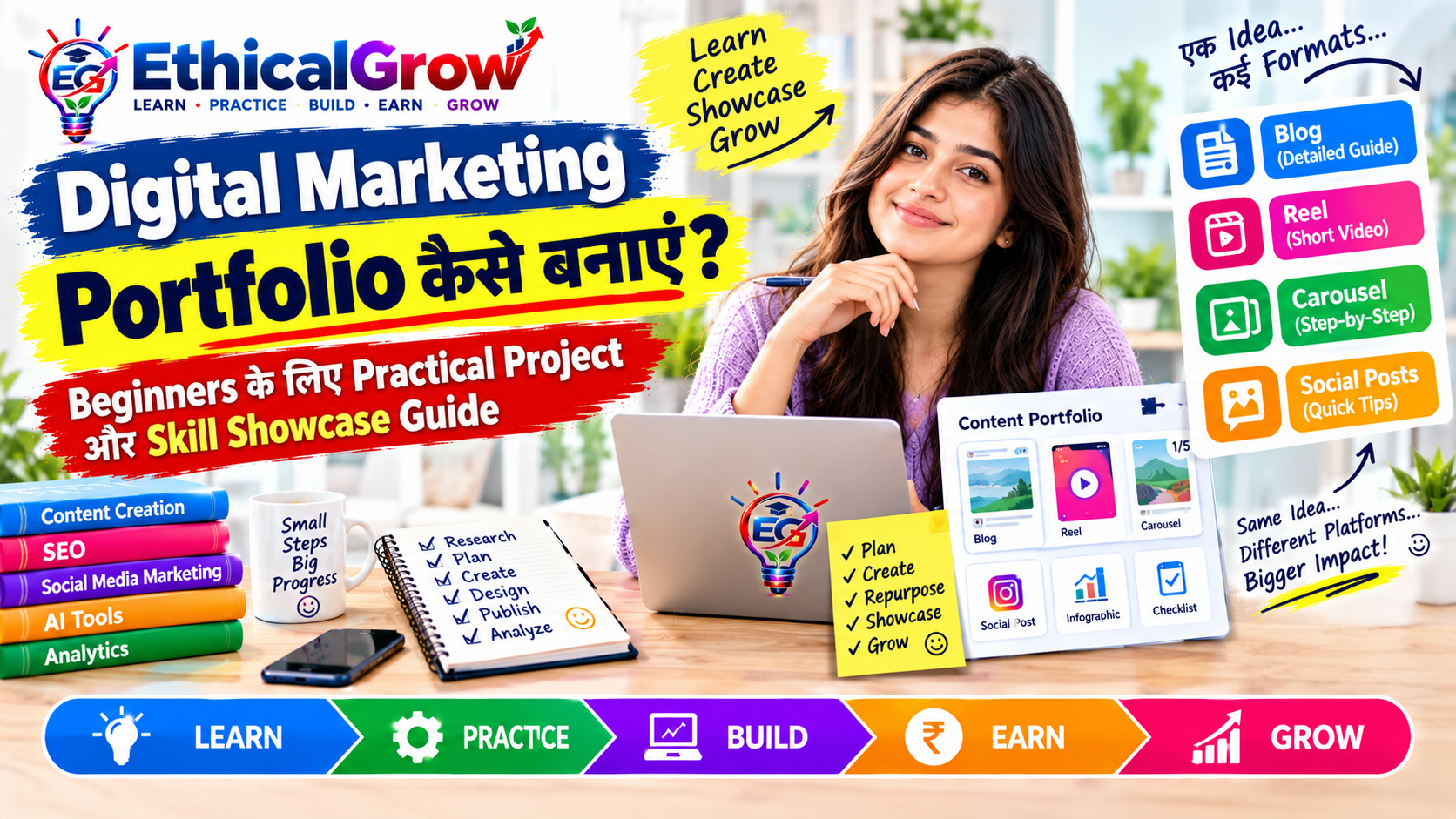
बहुत से beginners कुछ अच्छे designs, captions, blogs या analytics reports बना लेते हैं, लेकिन जब उन्हें अपना काम किसी mentor, team या potential project opportunity के सामने दिखाना होता है, तो presentation कमजोर पड़ जाती है। कभी profile bio unclear होती है, कभी portfolio में files बिना context के होती हैं, कभी skills बहुत ज्यादा लिख दी जाती हैं और कभी practice project को real client work की तरह present कर दिया जाता है।
एक professional profile का उद्देश्य केवल impressive दिखना नहीं है। उसका उद्देश्य है:
- आप कौन हैं, यह स्पष्ट करना
- आप किस प्रकार का काम कर सकते हैं, यह बताना
- आपने क्या practically बनाया है, यह दिखाना
- आपका workflow transparent रखना
- सामने वाले व्यक्ति को अगला कदम समझाना
Ethical Grow का learning framework है:
Learn → Practice → Build → Earn → Grow
इसी approach के अनुसार इस post में हम समझेंगे कि digital marketing profile और portfolio को practical, original, reader-first और policy-friendly तरीके से कैसे present किया जाए।
Professional Digital Marketing Profile क्या होता है?
Professional profile आपकी digital identity का short introduction होता है। इसमें आपकी skills, focus area, projects और working style का clear summary शामिल हो सकता है।
Profile कहीं भी हो सकती है:
- Personal website
- Instagram professional page
- Portfolio PDF
- Google Drive showcase
- Notion-style workspace
- Freelance profile
- Ethical Grow Admin Panel profile page
एक अच्छी profile देखकर सामने वाले को जल्दी समझ आना चाहिए:
- आप किस area में सीख या काम कर रहे हैं?
- आपकी primary skills क्या हैं?
- आपने कौन-से projects बनाए हैं?
- आपका content या work किस audience के लिए है?
- आप किस प्रकार की legitimate collaboration explore कर रहे हैं?
Profile और Portfolio में अंतर
Profile
Profile आपका short introduction है।
इसमें शामिल हो सकते हैं:
- Name
- Skill focus
- Short bio
- Profile image या logo
- Main links
- Contact method
Portfolio
Portfolio आपके practical work का detailed evidence है।
इसमें शामिल हो सकते हैं:
- Projects
- Case studies
- Content samples
- Analytics notes
- Design work
- Writing samples
- Process explanation
Simple Example
Profile:
“मैं beginner-focused social media content और SEO writing पर practice कर रहा हूँ।”
Portfolio:
“यहाँ मेरे तीन sample projects, content calendars, carousel designs और analytics review reports हैं।”
Profile लोगों को introduce करती है, portfolio उन्हें proof और context देती है।
Step 1: अपना Primary Positioning तय करें
Beginners के लिए सबसे पहले यह तय करना जरूरी है कि वे किस तरह present होना चाहते हैं।
आप इनमें से किसी focus area से शुरुआत कर सकते हैं:
- Social Media Content Creator
- Content Writer
- SEO Content Learner
- Canva Design Learner
- Short Video Editor
- Content Calendar Planner
- AI-assisted Content Workflow Learner
- Digital Marketing Generalist
बहुत broad statement से बचें।
Weak Example
“मैं हर तरह की digital marketing service देता हूँ।”
Better Example
“मैं beginner-focused educational content, social media planning और AI-assisted content workflows पर practice कर रहा हूँ।”
यह statement ज्यादा clear, realistic और credible है।
Step 2: Short Professional Bio लिखें
एक अच्छी bio छोटी, स्पष्ट और honest होनी चाहिए।
Bio Formula
मैं कौन हूँ + मैं किस area पर focus करता हूँ + मैं किस type का work बनाता हूँ
Example 1
“मैं digital marketing learner हूँ और social media content, SEO writing तथा content planning पर practical projects बना रहा हूँ।”
Example 2
“मैं beginner-friendly educational content के लिए blogs, carousels और short video scripts तैयार करता हूँ।”
Example 3
“मेरा focus original content, clear communication और data-based improvement पर है।”
Bio में ऐसे शब्दों से बचें जो unnecessary claims बनाते हैं:
- guaranteed results
- instant growth
- fixed income
- guaranteed ranking
- every business success
Professional presentation का आधार clarity है, exaggeration नहीं।
Step 3: Profile में Skill Hierarchy बनाएं
हर skill को same priority देने के बजाय primary और supporting skills अलग करें।
Primary Skills
- Social Media Content
- SEO Writing
- Content Planning
Supporting Skills
- Canva Basics
- Short Video Scripting
- AI-assisted Ideation
- Analytics Review
यह hierarchy सामने वाले को आपकी core capability समझने में मदद करती है।
Skill Levels को Honest रखें
आप skill को इस तरह describe कर सकते हैं:
- Learning
- Practicing
- Project-ready
- Comfortable
- Advanced
यदि आपने किसी skill पर केवल कुछ tutorials देखे हैं, तो खुद को expert लिखने की जरूरत नहीं है। Honest positioning long-term trust के लिए बेहतर है।
Step 4: Portfolio Navigation Simple रखें
Portfolio में बहुत ज्यादा sections डालने से user confuse हो सकता है।
Suggested Sections
- About
- Skills
- Projects
- Case Studies
- Content Samples
- Tools
- Learning Approach
- Contact
यदि portfolio छोटा है, तो आप इन्हें एक single-page PDF या presentation में भी रख सकते हैं।
Project Card में Include करें
- Project title
- Short summary
- Skill used
- Format
- Project type
- View details button या file link
उदाहरण:
Project: Beginner Social Media Campaign
Skill: Content Planning
Formats: Blog, Carousel, Reel
Type: Practice Project
Step 5: Practice Project को सही तरीके से Label करें
यह बहुत महत्वपूर्ण है।
यदि आपने real client के लिए काम नहीं किया है, तो project को ऐसे label करें:
- Practice Project
- Sample Project
- Self-initiated Project
- Demo Campaign
- Learning Project
Avoid करें
- Client Success Story
- Brand Campaign Result
- Official Campaign
- Guaranteed Growth Case Study
जब आप practice work को transparent तरीके से present करते हैं, तो आपकी credibility मजबूत रहती है।
Step 6: Portfolio में Case Study का Context दें
केवल image upload करने से सामने वाले को यह समझ नहीं आता कि आपने क्या किया।
हर project के साथ short case study जोड़ें।
Case Study Format
Project Overview
यह project किस विषय पर है?
Objective
आपका उद्देश्य क्या था?
Audience
किसके लिए content बनाया गया?
Strategy
आपने कौन-सा format और approach चुना?
Deliverables
आपने क्या-क्या तैयार किया?
Learning
आपने क्या सीखा?
Next Improvement
अगली बार क्या बदलेंगे?
यह format आपके काम को explainable बनाता है।
Step 7: Visual Presentation को Clean रखें
Portfolio visual होने पर भी over-designed नहीं होना चाहिए।
Basic Design Principles
- clear headings
- consistent fonts
- proper spacing
- readable screenshots
- balanced colors
- logical order
- mobile-friendly layout
यदि content educational है, तो design message को support करे, distract न करे।
File Presentation Tips
- high-quality preview रखें
- image filenames clear रखें
- multiple duplicate files हटाएं
- final version को “final” या version number से mark करें
- screenshots में unnecessary private details hide करें
Step 8: Tools Section कैसे लिखें?
Tools की list केवल impress करने के लिए नहीं, context देने के लिए होनी चाहिए।
Example
Content Planning: Google Sheets, spreadsheet templates
Design: Canva
Writing Support: AI-assisted ideation and editing
Video: Mobile editing tool
Analytics: Platform dashboard and review sheet
यदि आपने tool का केवल basic उपयोग किया है, तो “Basic” या “Working knowledge” लिखना अधिक accurate हो सकता है।
Step 9: AI Use को Transparent रखें
AI-assisted workflow आज common हो रहा है, लेकिन portfolio में transparency जरूरी है।
आप इस प्रकार लिख सकते हैं:
“AI का उपयोग topic ideation, outline support और first-draft assistance के लिए किया गया। Final research, editing, examples, fact-checking और presentation manually review किए गए।”
इससे सामने वाले को पता चलता है कि आपने AI का उपयोग किस role में किया।
AI Use में तीन बातें याद रखें
- AI output को blindly publish न करें
- copied या generic content को original claim न करें
- final quality control खुद करें
AI productivity बढ़ा सकता है, लेकिन ownership और responsibility आपकी रहती है।
Step 10: Contact Section Professional बनाएं
Portfolio का contact section simple और clear रखें।
इसमें हो सकता है:
- Professional email
- Website
- Linked profile
- Social media page
- Contact form
- Project inquiry note
एक clear sentence जोड़ें:
“यदि आप educational content, social media planning या beginner-friendly digital projects पर चर्चा करना चाहते हैं, तो contact करें।”
इस तरह call-to-action natural और relevant रहता है।
Unnecessary pressure language से बचें:
- तुरंत message करें वरना मौका खत्म
- आज ही join करें
- guaranteed response
- limited seats का fake claim
Portfolio को Social Media Profile से Connect करें
आपके profile और portfolio के बीच consistency होनी चाहिए।
यदि Instagram bio में आप “SEO Writer” लिखते हैं, लेकिन portfolio में केवल poster designs हैं, तो positioning unclear हो सकती है।
Check करें
- Bio और portfolio का focus match करता है?
- Profile image या logo consistent है?
- Link सही page पर जा रहा है?
- Public files open हो रही हैं?
- Contact method working है?
- Portfolio mobile पर readable है?
यह छोटी checks professional experience को बेहतर बनाती हैं।
Portfolio Review Checklist
Publish या share करने से पहले यह checklist देखें:
Content
- क्या language clear है?
- क्या copied content तो नहीं?
- क्या examples relevant हैं?
- क्या claims verified हैं?
Design
- क्या text readable है?
- क्या screenshots साफ हैं?
- क्या pages consistent हैं?
Trust
- क्या practice और real work clearly separated हैं?
- क्या metrics का context दिया गया है?
- क्या AI use transparent है?
Usability
- क्या links open हो रहे हैं?
- क्या mobile view ठीक है?
- क्या files के names clear हैं?
Policy
- क्या guaranteed results का claim नहीं?
- क्या fake testimonial नहीं?
- क्या misleading urgency नहीं?
- क्या artificial engagement tactics नहीं?
7-Day Profile Improvement Challenge
Day 1: Existing Bio Review करें
अपनी current bio पढ़कर देखें कि क्या आपका skill focus clear है।
Day 2: Primary Skill चुनें
एक main skill और दो supporting skills लिखें।
Day 3: New Bio Draft करें
20–30 शब्दों में honest bio लिखें।
Day 4: Portfolio Structure बनाएं
About, Skills, Projects, Case Studies और Contact sections रखें।
Day 5: एक Project Upload करें
Project title, objective और learning note जोड़ें।
Day 6: Mobile Review करें
Phone पर profile और files check करें।
Day 7: Feedback लें
किसी trusted person से पूछें कि profile देखकर उन्हें आपका focus समझ आया या नहीं।
Learn → Practice → Build → Earn → Grow
Learn
Profile writing, portfolio structure, case study और presentation principles समझें।
Practice
हर सप्ताह एक project को better तरीके से document करें।
Build
एक clear digital identity, organized portfolio और reusable templates बनाएं।
Earn
जब आपकी skills, portfolio और communication capabilities develop हो जाएँ, तो legitimate opportunities explore की जा सकती हैं।
Grow
Feedback, analytics और नए projects के आधार पर profile और portfolio को update करते रहें।
Portfolio को एक बार बनाकर भूलना नहीं चाहिए। यह आपकी ongoing learning journey के साथ evolve होना चाहिए।
FAQ: Professional Digital Marketing Profile
क्या beginners को professional profile बनानी चाहिए?
हाँ। Profile आपकी learning direction और practical work को clear तरीके से दिखाने में मदद कर सकती है।
क्या बिना experience के portfolio बनाया जा सकता है?
हाँ। Practice projects, self-initiated projects और demo campaigns से शुरुआत की जा सकती है।
क्या portfolio में सभी tools लिखने चाहिए?
केवल वही tools लिखें जिन्हें आपने वास्तव में use किया है। Skill level को honest रखें।
क्या AI use छिपाना चाहिए?
नहीं। AI का role transparent तरीके से बताना professional practice का हिस्सा हो सकता है।
क्या profile से guaranteed work मिलेगा?
नहीं। Profile और portfolio आपकी presentation को मजबूत करते हैं, लेकिन opportunities कई factors पर depend करती हैं।
Portfolio कितनी बार update करना चाहिए?
जब भी नया project, नया skill या meaningful improvement हो, portfolio update करें। Monthly review useful हो सकता है।
आज का Practical Action Plan
आज यह छोटा task पूरा करें:
- अपनी primary skill लिखें।
- 2 supporting skills चुनें।
- 25 शब्दों की professional bio बनाएं।
- एक practice project को case study format में लिखें।
- Profile और portfolio links test करें।
- Practice work को clearly label करें।
- अगले update की तारीख note करें।
यह exercise आपके portfolio को केवल files के collection से professional learning profile में बदलने की दिशा में पहला कदम हो सकती है।
निष्कर्ष
Professional digital marketing profile बनाना केवल bio लिखना या कुछ images upload करना नहीं है। यह आपकी skills, projects, process और working style को clear तथा responsible तरीके से present करने का तरीका है।
एक strong beginner profile में होना चाहिए:
- Clear positioning
- Honest skill description
- Organized portfolio
- Practice और real work का separation
- Case study context
- Transparent AI use
- Clean visual presentation
- Working contact links
- Policy-friendly communication
Ethical Grow के approach के अनुसार:
Learn करें → Practice करें → Build करें → अपने work को clearly present करें → legitimate opportunities explore करें → लगातार Grow करें।
आपको perfect portfolio से शुरुआत करने की जरूरत नहीं है। एक clear bio, एक well-explained project और एक honest learning summary भी अच्छी शुरुआत हो सकती है।
Consistency, clarity और transparency आपके profile को धीरे-धीरे मजबूत बना सकते हैं।
SEO Details
SEO Title:
Digital Marketing Profile और Portfolio को Professional तरीके से कैसे Present करें?
Meta Description:
Beginners के लिए digital marketing profile और portfolio को professional तरीके से present करना सीखें। Bio, skills, case study, AI transparency और practical checklist समझें।
Primary Keyword:
professional digital marketing profile
Secondary Keywords:
portfolio presentation guide, digital marketing bio कैसे लिखें, beginner portfolio profile, case study presentation, personal branding for beginners, digital skills portfolio
Suggested URL Slug:
professional-digital-marketing-profile-guide
Suggested H1:
Digital Marketing Profile और Portfolio को Professional तरीके से कैसे Present करें? Beginners के लिए Personal Branding Guide
Suggested Internal Links:
- Digital Marketing Portfolio कैसे बनाएं?
- Content Repurposing क्या है?
- AI की मदद से Social Media Content कैसे बनाएं?
- Social Media Analytics कैसे समझें?
- Social Media Content Calendar कैसे बनाएं?
Suggested Image Alt Text:
Beginners के लिए digital marketing profile और portfolio presentation guide